What’s the real problem here?
Fleets keep paying for mistakes they don’t understand: blind spots, disputed claims, wasted fuel, and trucks sitting idle. I’ve seen this on runs from small local haulers to a citywide pilot with delivery fleets in Los Angeles — same headaches. If you want something that actually records, tags, and ties video to location and vehicle data, look at solutions like AI MDVR. No fluff — it’s about getting usable evidence and stopping repeat problems fast.
Clear signs you need a mobile DVR right now
– Frequent accident disputes with customers or drivers. – Mismatched route logs vs. what drivers report. – Repeated theft or tampering in specific yards. – High idle time or unexplained fuel use. If two or more of those fit, you’re wasting payroll and insurance money.
What a proper mobile DVR actually fixes
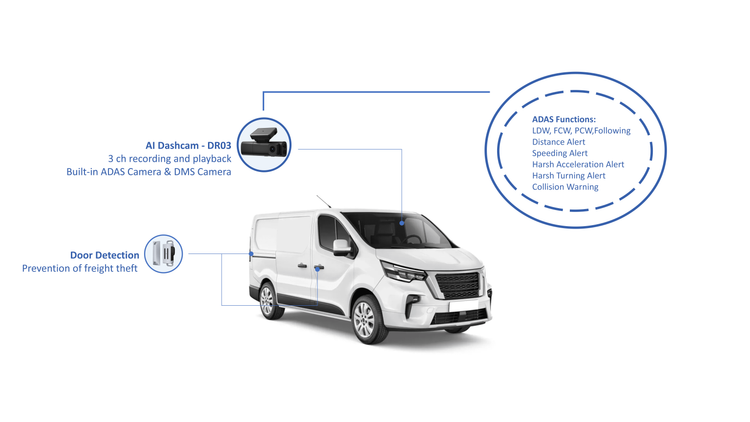
Good mobile recording ties camera footage to GPS, speed, and CAN bus signals so footage isn’t just video — it’s context. That’s why people buy mobile dvr for vehicles: you get event-triggered clips, timestamped location, and if needed, live streaming for urgent incidents. It turns “he said/she said” into a clear timeline you can use for claims, training, and discipline.
Quick checklist when sizing up vendors
Look for these, no exceptions: – Hardware rated for vibration, heat, and 24/7 use. – Support for multiple camera angles and priority recording. – Local storage plus secure offload or cellular upload. – Event tagging (hard brakes, collisions) tied to video. – Open data exports: you should own the footage. – Clear firmware update process and remote diagnostics.
Common mistakes buyers make
Buyers keep falling into the same traps: picking the cheapest cam-only unit, trusting “cloud-only” vendors with poor upload policies, or skipping CAN bus integration. Don’t buy a device that can’t sync speed and engine data — footage without vehicle sensors is half the picture. Also, don’t assume installation is plug-and-play; wiring, antenna placement, and power management matter.
How this plays out in real operations
One practical route: start with 4–6 high-risk vehicles, confirm the footage quality and event tagging for 60 days, then roll out. Train dispatch and claims staff to pull clips and use them in 48 hours. Track metrics: incidents per 10,000 miles, claim payout change, and driver coaching hours. Those numbers tell you if the system’s paying for itself.
Alternatives and why MDVR usually wins
Three common options: basic dash cams, telematics-only systems, and full MDVRs. Dash cams are cheap but blind to CAN bus and often overwrite before you can secure evidence. Telematics-only gives location and driver behavior but no sight. MDVRs combine both: footage tied to vehicle data. If you need proof, MDVR is the practical choice.
What to watch for during deployment
Watch these pitfalls: poor camera angle, weak mounts, missing timestamps, and blocked GPS reception. Plan power isolation so units don’t drain batteries when trucks sit. Test remote access and chain-of-custody procedures for footage so clips hold up for insurers or courts.
Final straight talk
You want systems that cut disputes, tighten training, and stop repeat losses. The answer isn’t flashy marketing — it’s rugged hardware, clear data links, and a roll-out that proves value on actual trucks. That’s the kind of fix companies like BSJ design into their AI MDVR products: durable units, event-tied video, and integration that works on real routes, not just in demos.